Don't Trust Your AI Agent. Scope It.
Every conversation about putting AI agents into a product eventually arrives at the same question: can we trust it? And the honest answer, today, is "not entirely." So teams wait. The integration sits in a backlog until the models get better, the guardrails mature, or someone else goes first.
We think that's the wrong question. Whether an agent is trustworthy matters a lot less than what the agent can reach. An agent that can't delete a record can't delete the wrong one, even if it wants to. An agent with read-only access to billing can't change an invoice, whether it's brilliant or confused.
We already know how to do this
This isn't a new problem, and it isn't really an AI problem. It's how we've always handled people. A new hire doesn't get the production database on day one. A contractor gets the one repo they're working on. Someone in support can view an account but not touch its billing. Nobody calls that distrust - it's just access control.
The nice thing about this approach is that it doesn't depend on the model. A perfectly reliable agent with read-only access and a flaky one with read-only access have exactly the same blast radius. You get to stop arguing about how good the AI is and start deciding what it's allowed to do.
So instead of asking "do we trust this agent?", the question becomes "what should this agent be able to touch?" That second question has an answer, and it's one you can enforce.
How we built MCP support around that idea
PropelAuth's MCP Authentication sits in front of your MCP server and handles the part everyone gets nervous about: who the agent is, who it's acting for, and what it's allowed to do.
When a user connects Claude, ChatGPT, Cursor, or any other MCP client to your product, the agent goes through a standard OAuth 2.1 flow. The user logs in the same way they already do, whether that's Enterprise SSO, social login, or magic links. Then they see a consent screen listing exactly what the agent is asking for.
What the agent can ask for is defined by scopes, and you decide what those are. We support two kinds:
- User scopes cover a person's own data: their profile, their private resources.
- Org scopes cover shared resources, and each one is tied to your existing roles. A scope like
write:org_configcan be limited to Owners, so a Member can't hand an agent access they don't have themselves.
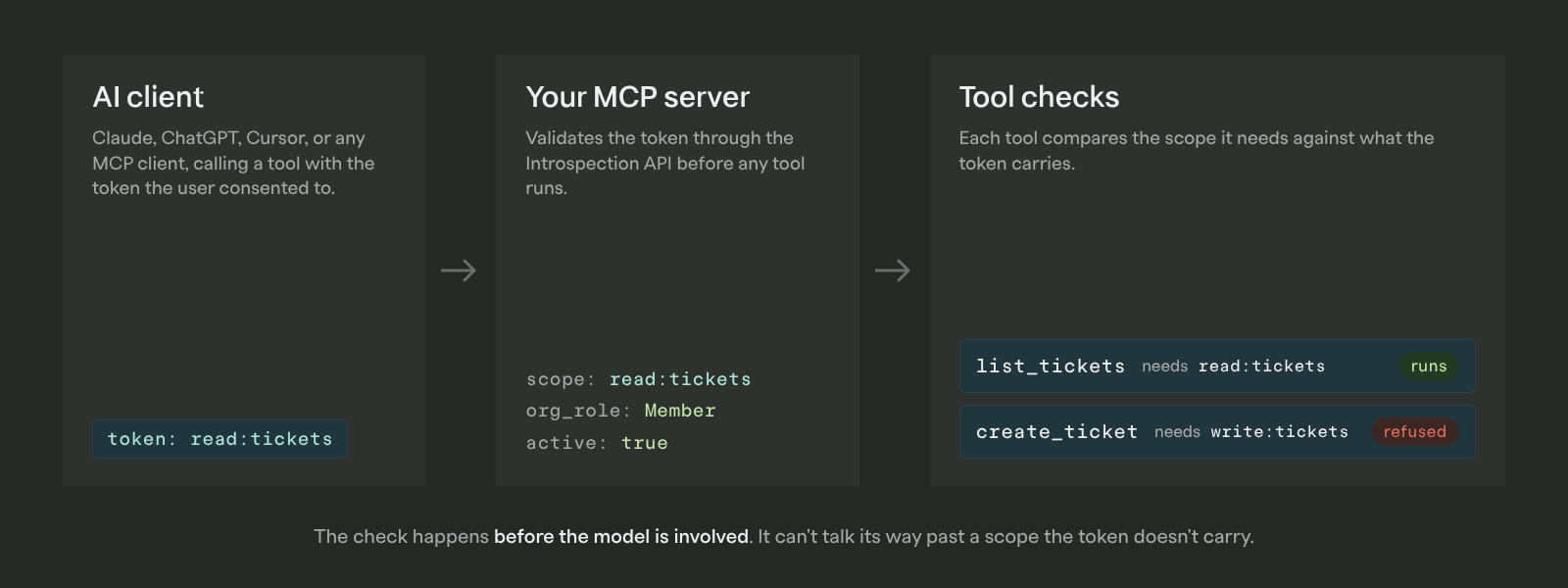
Every tool call your MCP server receives carries a token, and the Introspection API tells you which scopes were granted, plus the user's org, role, and permissions. Your tools check that before doing anything. The agent never gets a key that opens more doors than the user agreed to.
There's also an audit log of every client created, updated, or deleted and every consent granted or revoked, and a session duration setting that forces agents to re-authenticate on a schedule you choose.
For the true believers
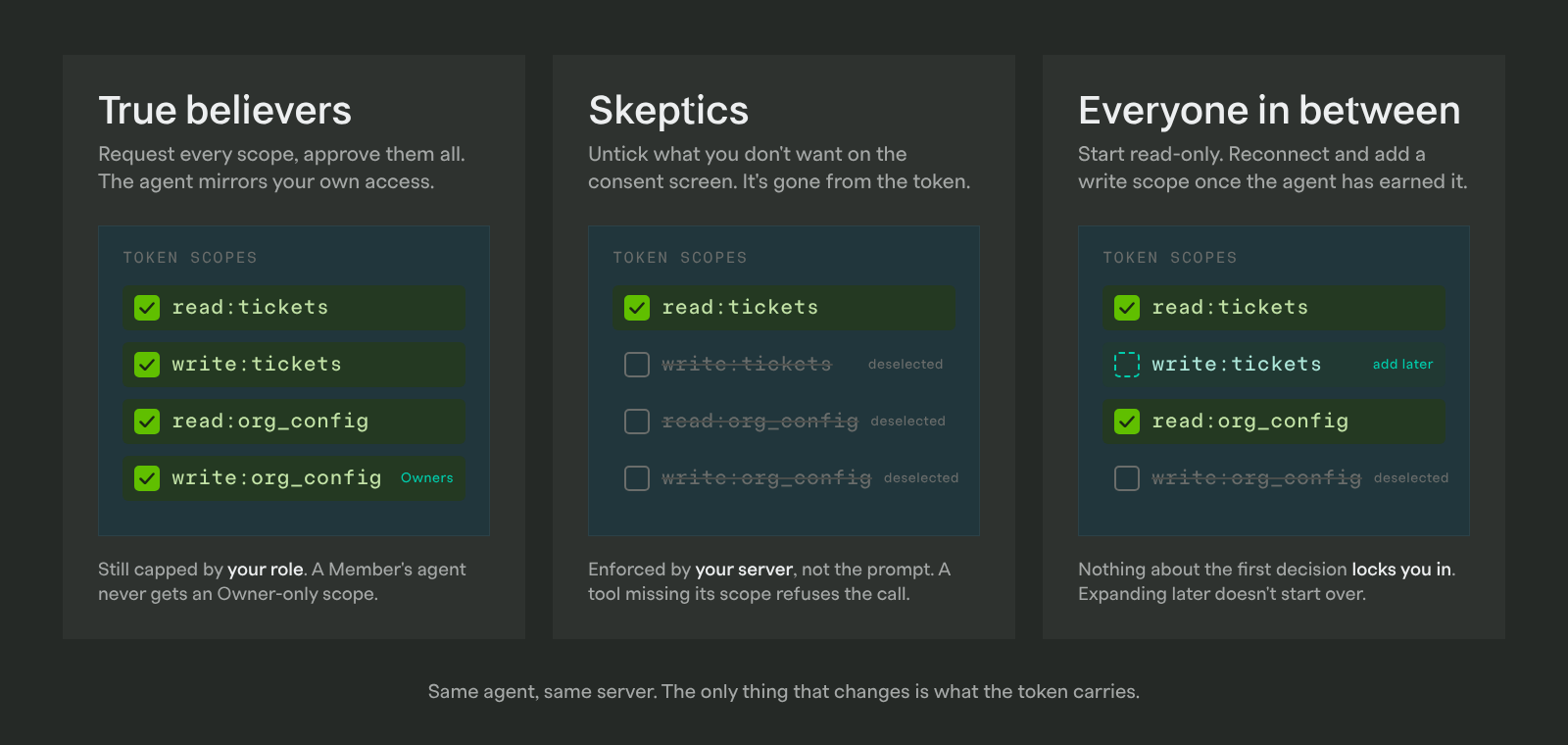
If you want your agent to do everything you can do, you can have that. Define scopes that cover your product's full surface, request all of them, and approve them on the consent screen. The agent gets a token that mirrors your own access.
"Mirrors" is the important word. Org scopes are gated by role, so even a fully-trusted agent is capped at what you are allowed to do. An Admin's agent gets Admin-level access to the org. It never gets Owner-level access just because the model asked nicely. You're not trusting the AI more than you trust yourself.
For the skeptics
If you'd rather the agent touch almost nothing, you can do that too, and you can know precisely where the line is.
Users are in control of what access they give. On the PropelAuth consent screen, users can deselect individual scopes before connecting. Want an agent that can read your tickets but never create one? Untick write:tickets and it's gone from the token.
The guarantee is enforced on your server, not in the prompt. A tool that requires a scope the token doesn't carry refuses the call. The model can't talk its way past that, because the check happens before the model is ever involved.
And for the people whose job is to be skeptical on behalf of the whole company, admins can go further:
- Restrict sensitive org scopes to specific roles, so a single employee connecting their personal Claude Desktop can't expose company-wide data.
- Allowlist which MCP clients are permitted to connect at all.
- Set a short session duration so agents have to re-authenticate regularly.
- Review the audit log to see every consent granted and revoked.
For everyone in between
Most people aren't at either end. They want to try an agent on something low-stakes, see how it behaves, and give it more rope if it earns it.
That's the path the scope model is built for. Connect with read-only scopes today. When you're comfortable, reconnect and grant a write scope or two. Nothing about the first decision locks you in, and nothing about expanding later requires you to start over.
It works the same way for the teams building the product. Ship your MCP server with a handful of read scopes and see how customers use it. Add org scopes with role restrictions once you understand which actions are sensitive. You don't have to design the perfect permission model before anyone gets value from the integration.
The point
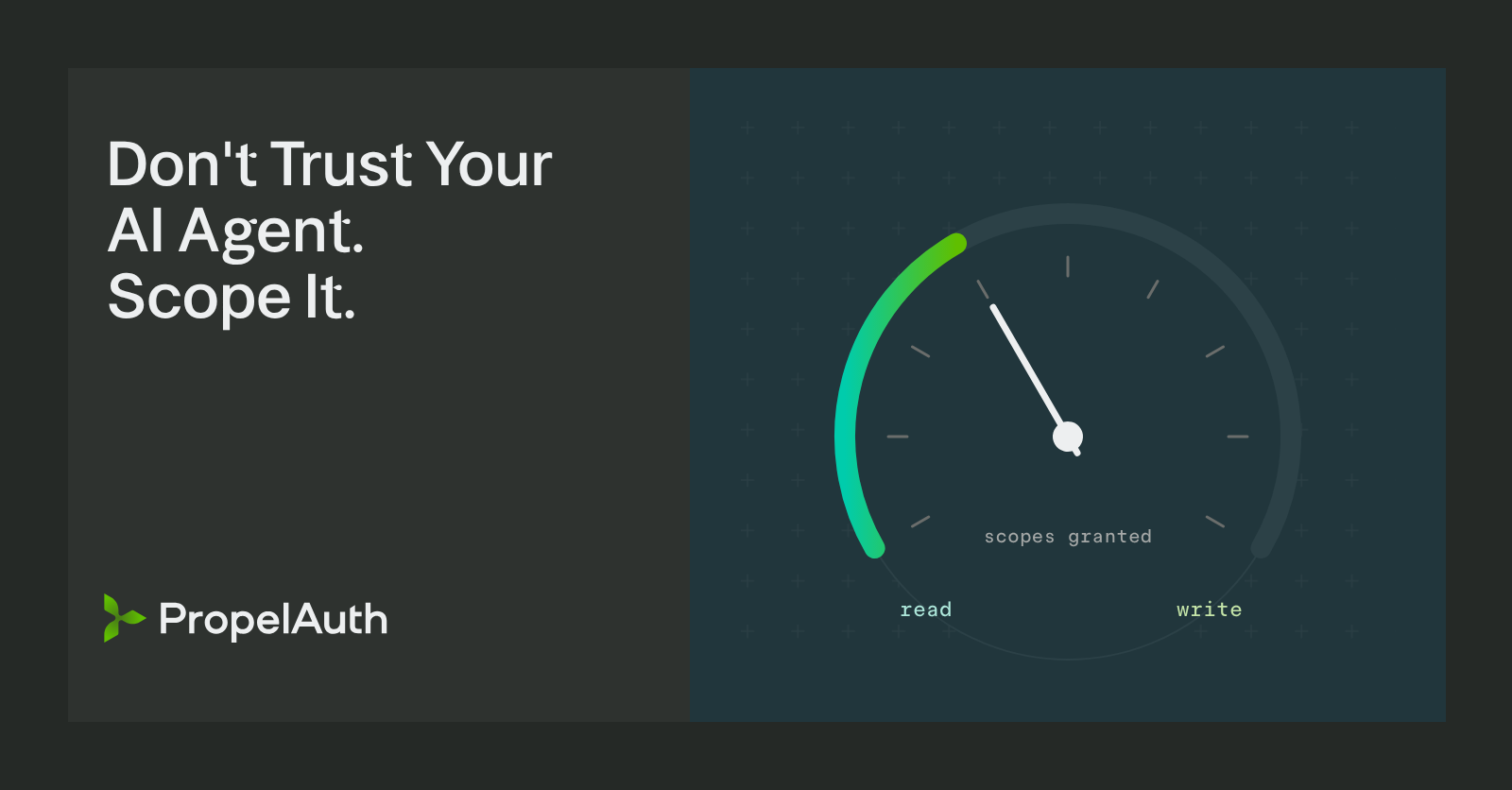
Confidence in AI doesn't have to be a gate you pass through before using it. Permissions turn it into a dial: start where you're comfortable, watch what the agent does, and turn it up as it earns it. That's the same deal we offer every human who gets access to a system, and there's no reason agents should get a different one.
If you want to put this in front of your own MCP server, it takes a few minutes: enable MCP in the PropelAuth dashboard, define your scopes, and validate tokens in your tools. The MCP Authentication docs walk through it end to end, and the FastMCP walkthrough gets you from zero to an authenticated server in one sitting.