Announcing: Impersonatable Users Table
If you use our impersonation feature with the "By Request" setting, you know the drill. You submit a request, an approver reviews it, and once you're given the green light, you can jump into a customer's session. It's a great workflow, but it was previously a bit difficult to keep track of who you could and couldn't impersonate at any given time.
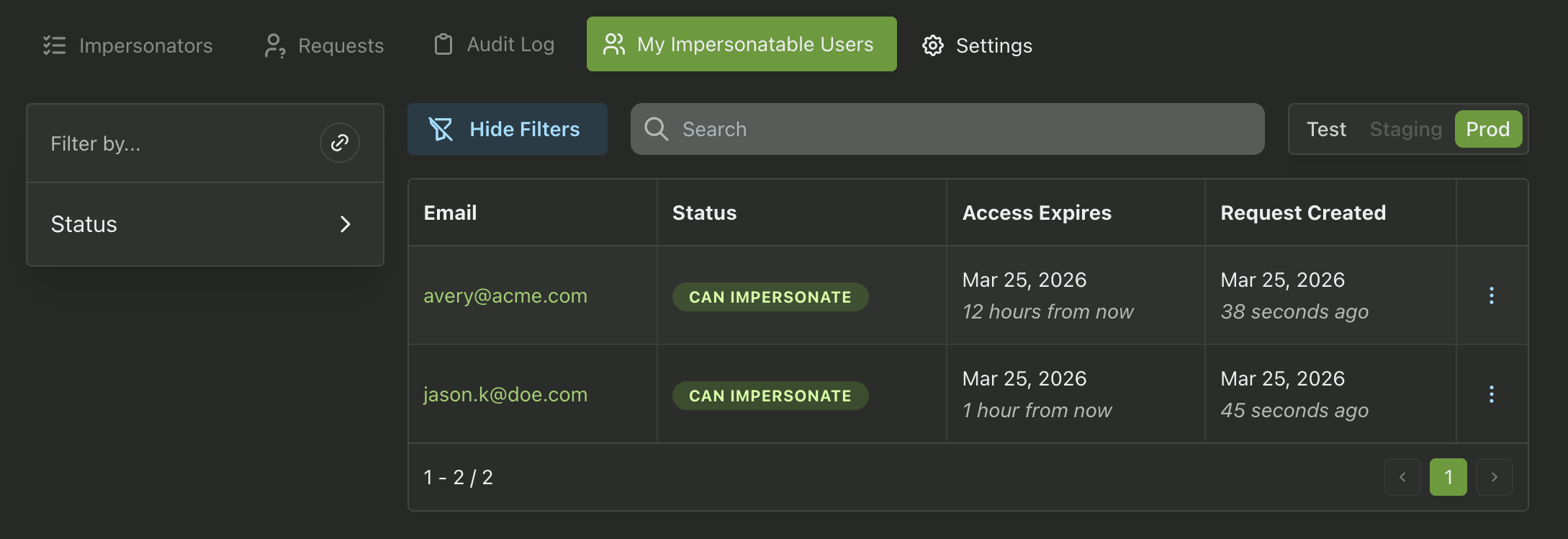
Now there's a better way. The My Impersonatable Users table gives you a dedicated home for all of that. You can see which customers you've been approved to impersonate, which requests are still waiting on approval, and when your access for each user is set to expire. Everything in one place, no digging around required.
If you haven't tried user impersonation yet, it's worth exploring. Being able to see your product through a customer's eyes is one of those things that's hard to go back from once you've used it. Whether you're tracking down a tricky bug, walking someone through a support issue, or putting together a demo, it has a way of making everything a little faster.
Head over to the User Impersonation section of your dashboard to check it out. As always, if you have any questions, we're here at support@propelauth.com.