PropelAuth HubSpot Integration: Sync Your Users to Your CRM Automatically
Your auth layer and your CRM have always held different pieces of the customer puzzle. Assembling them meant custom webhooks, manual exports, or just living with the gap. The PropelAuth HubSpot integration Beta closes that gap: when a user signs up or logs in, that activity flows into HubSpot automatically. No sync scripts to maintain, no stale contact records.
For B2B SaaS teams, this means your sales and success teams get a live view of who's actually active in your product, all inside the CRM they already work in every day.
How the PropelAuth HubSpot integration works
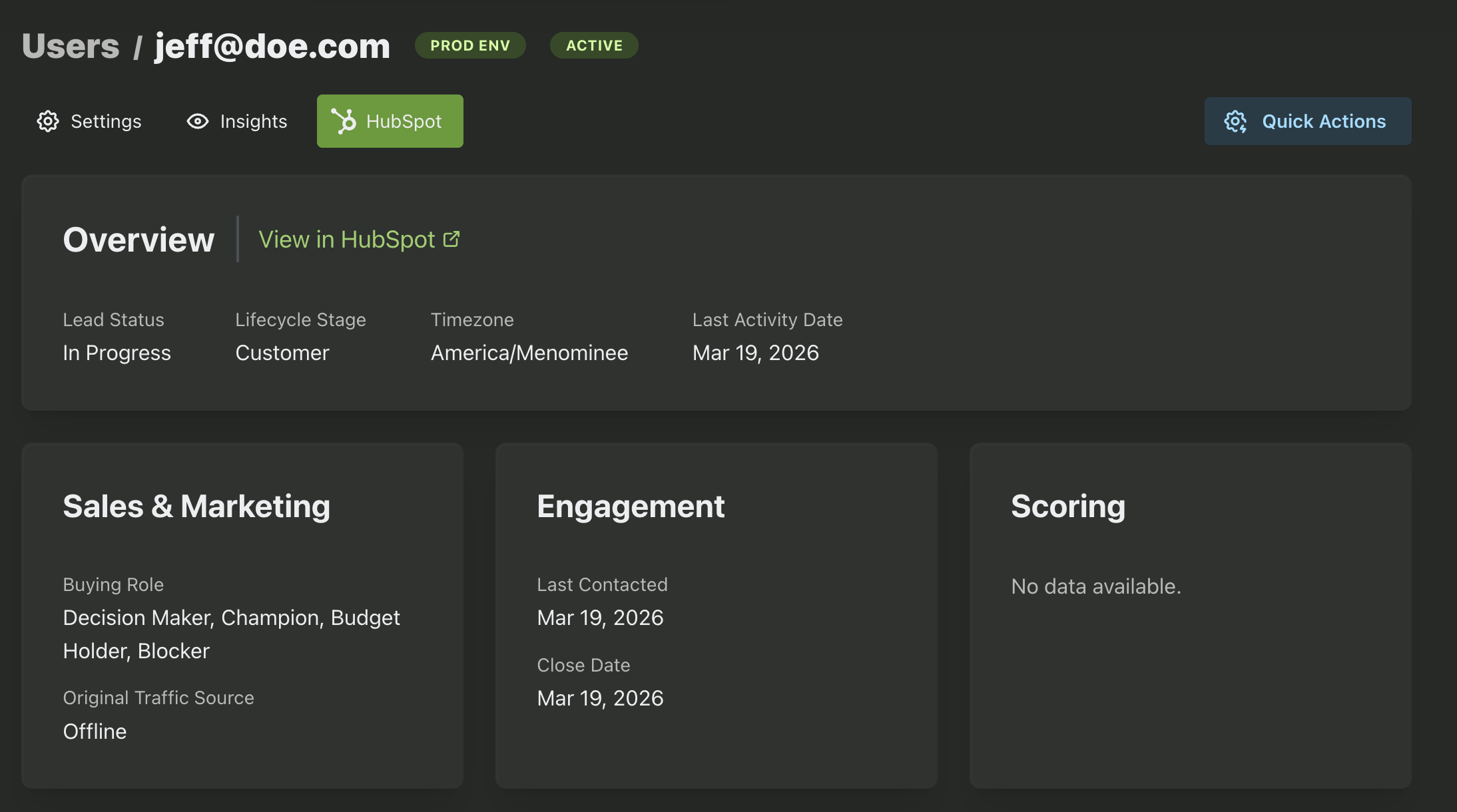
The integration syncs user and contact data in both directions. PropelAuth pushes user data into HubSpot as contacts, and HubSpot sends rich CRM context back to PropelAuth so you can see a user's lifecycle stage, lead status, and account health directly in your PropelAuth dashboard.
Three custom HubSpot contact properties (PropelAuth User ID, PropelAuth Last Active At, and PropelAuth User URL) are automatically created in your HubSpot instance and surfaced on each contact record. Your sales team can jump straight from a HubSpot contact into the PropelAuth user profile with a single click.
Syncing organizations and company data
Rather than duplicating your company hierarchy in PropelAuth, the integration leans on HubSpot's native "Create and associate companies with contacts" setting. When a user syncs over, HubSpot will either match them to an existing company record based on email domain or create a new one. Clean, automatic, and no double maintenance.
Company data including domain, lead status, ICP tier, traffic source, last meeting booked, and more flows back into PropelAuth so your team has full context on any organization right inside the dashboard.
How to set up the HubSpot integration in PropelAuth
Setup takes just a few minutes:
- In HubSpot, navigate to Development → Keys → Service Keys and create a new service key with the required CRM scopes.
- In your PropelAuth dashboard, open the Integrations page and click the HubSpot tile.
- Paste in your service key and save. Syncing begins immediately.
The six required HubSpot scopes cover reading and writing both contact and company objects, plus the ability to create custom schemas. Everything needed to keep user data consistent across both platforms.
What's next for PropelAuth's HubSpot integration
This integration is currently in beta, and we're actively collecting feedback on what else teams want to see. If you have a use case or a field you'd like included, we'd love to hear from you: just email support@propelauth.com.