Guide to understanding MCP with examples
Model Context Protocol (MCP) is a standard for connecting AI applications (ChatGPT, Claude, Gemini, OpenCode) to external systems (Google, GitHub, Your Product). In this post, we’re going to look at what it is, why your users may care, and what it actually means to “support MCP.”
An example product with an API
Let’s say you are building a CRM. Your backend has APIs for key features like adding a contact, fetching information about a contact, or marking a deal as Closed - Won. These are just regular APIs that your frontend can hit:
POST /contacts
GET /contacts/{contact_id}
PUT /deal/{deal_id}
Your frontend might be built in a framework like React and your users view / interact with the data through UIs that you and your team built.
A new “frontend”
In 2026, however, there are new “frontends” that people are interacting with and they look like this:
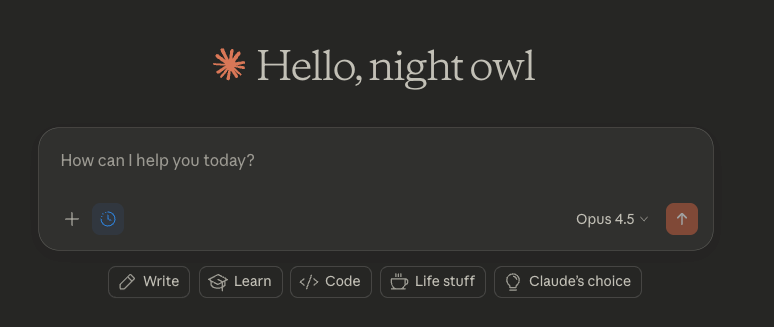
This is Claude and the users of your CRM are asking if they can query their CRM data directly in it. They want to be able to ask Claude things like:
I’m going to New York next week, can you get me a list of customers I might want to meet with?
And the first problem we encounter is… how does Claude know what APIs you expose or even the format of the requests and responses? Even if we gave it API documentation, the next problem we’ll encounter is how does Claude make requests on its user’s behalf?
These problems are what MCP is solving for.
It is a standard way for you to expose functions (called tools) like create_contact or update_deal and give Claude the ability to call these functions on behalf of it’s user.
You just write an MCP Server, which exposes information like:
- Which tools does this server have?
- How should clients authenticate with this server (if at all)?
- For each tool, what does it do and how should it format it’s requests?
You then register your server with Claude and when you chat with Claude in the future, it’ll be able to use the tools your MCP Server exposes.
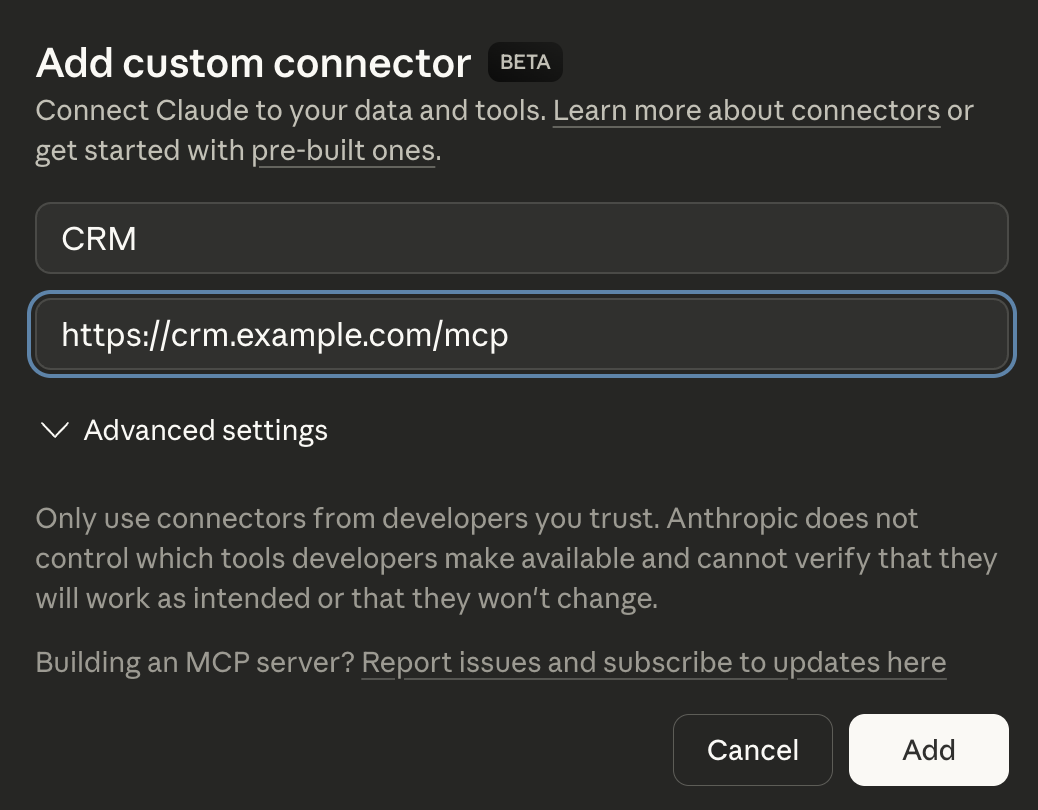
Under the hood, MCP is a JSON-RPC protocol, and clients discover tools via calls like tools/list, then invoke them via tools/call. Tools are described with structured schemas (JSON Schema), so clients can reliably format arguments.
Because it’s a standard, that same MCP Server can be registered with other MCP-compatible clients like ChatGPT, Gemini, OpenCode, Cursor, etc. and they all would understand how to query it.
Why do my users care?
This is a really good question. With any trendy technology it’s worth spending some time deciding if it’s valuable or if it’s just a cool demo.
If we go back to the prompt our user is attempting:
I’m going to New York next week, can you get me a list of customers I might want to meet with?
A fair criticism of this is “isn’t this just a filter in my CRM’s UI?” This is a completely reasonable take, but it’s worth noting that some users might be able to express themselves in English better than they can use a UI.
That being said, English can still be misinterpreted and some folks will still prefer the UI over querying in English. For those folks, the power of this question comes from it’s ability to use more than one integration.
Your users can connect to your CRM AND Crunchbase and ask this question:
I’m going to New York next week, can you get me a list of customers I might want to meet with? Focus on companies that recently raised their Series A/B.
Or if your users are feeling adventurous, they can connect their Gmail accounts and have it draft emails to points of contact at those companies.
Most AI clients are powerful enough to recognize that they need to make multiple tool calls to be able to process that task.
So the reason users may care is because:
Giving your users the ability to access your product’s data from an AI client can enable powerful workflows**, especially when combined with other integrations.**
Where do MCP servers run?
Given the word server, it’s reasonable to assume they always run remotely, however MCP servers can be designed to run locally or remotely:
- Local MCP servers run on the user’s machine and talk over stdio (the AI client starts the server and pipes messages to it).
- Remote MCP servers usually run in your infrastructure and talk over Streamable HTTP.
A local MCP server can do some unique things like read/write from the user’s file system. This Knowledge Graph Memory MCP server, for example, uses files stored locally to maintain a “Knowledge Graph” and exposes tools to interact with that graph.
Local MCP servers often don’t need authentication, as they can only be accessed on your machine. Remote MCP servers sometimes need authentication.
A remote version of that Knowledge Graph Memory MCP server would need authentication so each user can only view/edit their own knowledge graphs.
A remote MCP server like Cloudflare’s Documentation MCP Server, doesn’t need authentication as it only exposes information that is already available publicly.
Authentication for remote MCP servers
When your MCP server runs in your infrastructure, you have to answer a simple question:
When Claude callslist_contacts, how do you know which user it’s calling for?
That’s what authentication is.
In practice, remote MCP servers usually work like this:
- The user enters your MCP URL in their AI client (Claude, ChatGPT, etc.).
- They get sent to your normal login page (this can be skipped if they are logged in already).
- They see a consent screen that says what the AI client is asking for (read contacts, update deals, etc.).
- After they approve, the AI client gets a token it can include on requests to your MCP server.
- Now when the AI client calls tools, your MCP server can say tell who is making the request and what permissions/scopes the user consented to (e.g.
read_contacts).
The MCP spec didn’t define authentication from scratch, thankfully. It relies on OAuth 2.1 along with some key extensions like Dynamic Client Registration. You can use any OAuth 2.1 compatible authorization server (like PropelAuth) to protect your remote MCP servers.
Common use cases for MCP servers
Documentation for a product/service
When LLMs are fed untrusted data, they susceptible to prompt injection attacks. For the (appropriately) paranoid folks among us, this is a common reason you may not want to give your AI client open access to the internet.
However, restricting an AI client’s internet access would also mean they are way more likely to guess / hallucinate on tasks.
Imagine you are a developer and you are tasked with integrating with Salesforce, but you aren’t allowed to read Salesforce’s documentation or search the internet. Basically impossible, right?
To combat this, Salesforce (or any product/service) can create an MCP server that has tools like search_documentation or read_docs_on_topic(...). As long as you trust the makers of the MCP server, you get the best of both worlds: no untrusted user data but still getting rich context on the problem the AI client is trying to solve.
A wrapper around an API
We saw this before with our CRM example. If all you want to do is allow AI clients to use your product, you can just:
- Build a basic MCP server
- Create a tool for each of the API calls you want the AI clients to be able to use
- Add authentication/authorization to make sure you know who is making the call and what the user consented to
This is a great way to get started with MCP servers, just make sure you only expose actions you are comfortable with an AI client doing.
Putting it all together
MCP is basically a standard way to let AI clients “plug into” your product.
Your MCP server will expose functions (or tools) and the client can discover and call them as it sees fit.
If somebody asks Claude a question like “who did I talk to last Friday?”, and they’ve registered a Google Calendar MCP server, Claude can recognize that in order to answer that question, it needs to call the list_events tool on that server.
AI clients get particularly powerful when you start combining multiple MCP servers to enable complex interactions that otherwise wouldn’t be possible (e.g. grabbing an event from my calendar, reading the notes from meeting I wrote in Notion, and updating my CRM with next steps).
Quick Pitch: PropelAuth MCP support
If you don’t want to build the “login + consent + scopes + tokens + OAuth 2.1” piece yourself, PropelAuth’s MCP support is basically that layer:
- Login/SSO (including SAML/OIDC/SCIM if you need enterprise)
- Consent screens for scopes
- Token verification for requests to your MCP server
- A way for users to revoke access later
And you keep your MCP server focused on what you actually care about: implementing search_contacts, update_deal, etc.
If you are interested, check out our documentation here.