Audit Logs in PropelAuth
Your product just launched. Your first customers have been onboarded. Before you know it, the questions start coming in: Who updated our role configuration? Which users are actually logging in? Did that organization name change out of nowhere?
The best way to answer these questions? Audit logs.
With PropelAuth, audit logs provide a clear history of important events across your auth system, from signups and logins to role updates and admin actions. They help you debug issues, improve security, and respond to customer questions with confidence.
In this post, we’ll discuss the different audits logs in PropelAuth and how you can use them to get to the bottom of all the tricky questions your team is asking.
Project Audit Log
We’ve all been there. Someone changed your configuration settings at some point, and you don’t know who or when… and you’d like to have a polite conversation with the culprit around not doing it again.
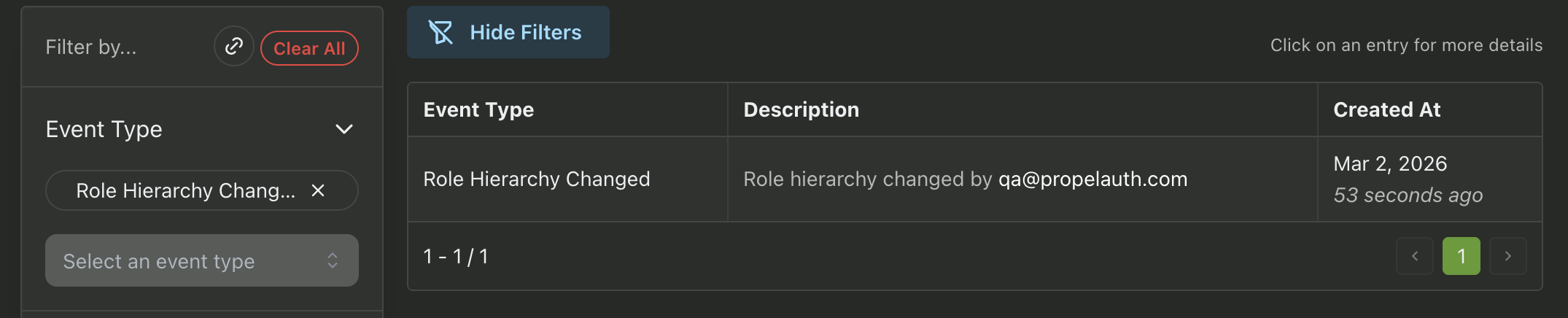
PropelAuth Project Audit Logs make it easy to get to the bottom of what happened. Let’s say your role hierarchy changed in a way you weren’t expecting, and you want to chat with the employee who made the change to find out what’s going on.
Simply head over to the Project Audit Log and choose the Role Hierarchy Changed event type to see who made the change.
User Audit Logs
When you need to track down actions your users have taken, look no further than the PropelAuth User Audit logs. These will outline everything related to your user’s accounts, including login methods and changes to their properties.
The User Audit Log can be filtered in a variety of ways:
- By User - Filter down to all actions related to a specific user
- By Organization - Filter down to all actions related to users in a specific Organization
- Event Type - Choose which events are displayed
- Date - Choose the dates to display events from
- Caused By - Filter by what caused the event, such as if the user performed the action themselves, an employee took an action on their behalf, or the action was performed via an API key.
Some examples of how to get to the bottom of questions in the User Audit Log are:
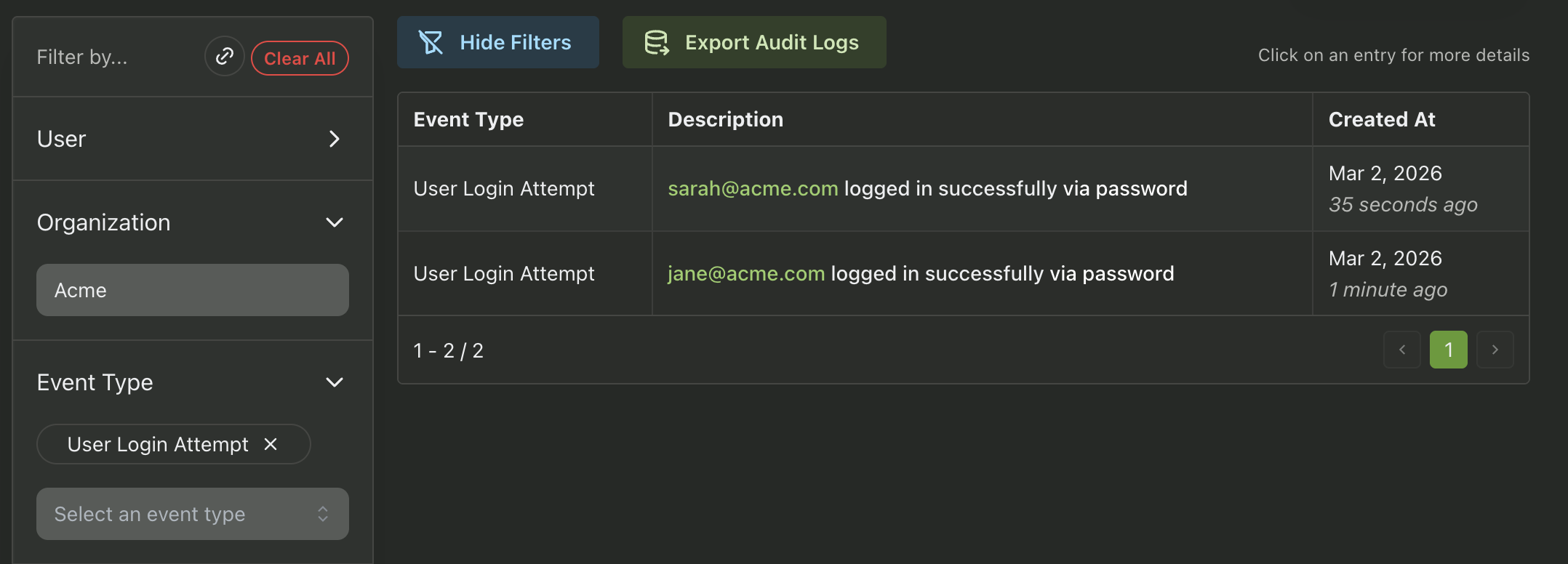
How do I check if users from Acme are logging in?
Use the Organization filter for Acme and the event type User Login Attempt.
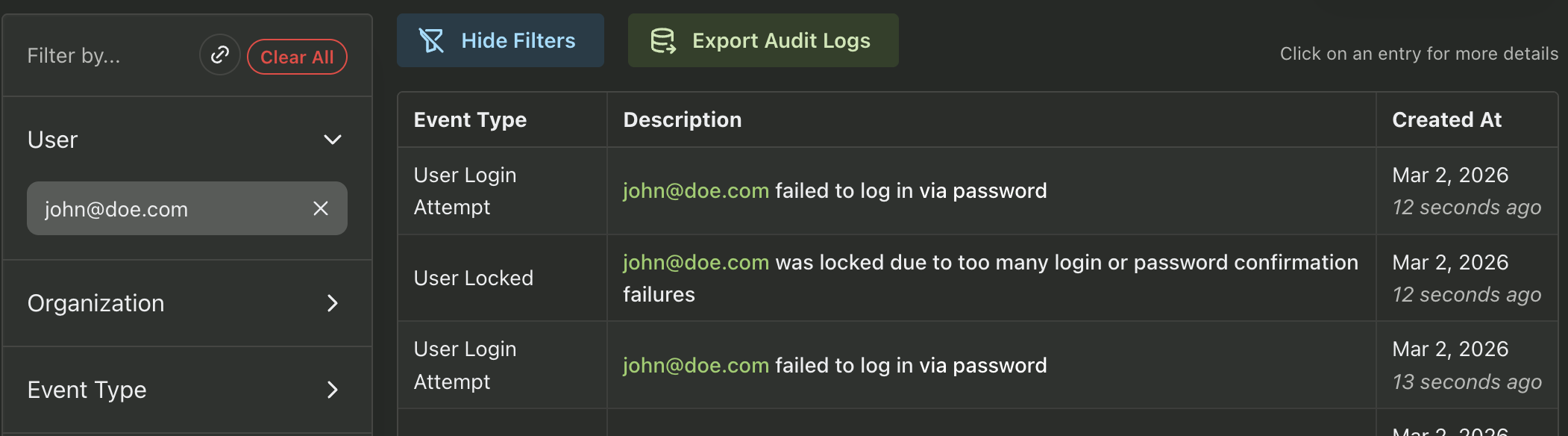
john@doe.com is having trouble logging in - what could be wrong?
Use the User filter to check john@doe.com’s recent activity, and keep an eye out for Incorrect Password/MFA events, or account locked events.
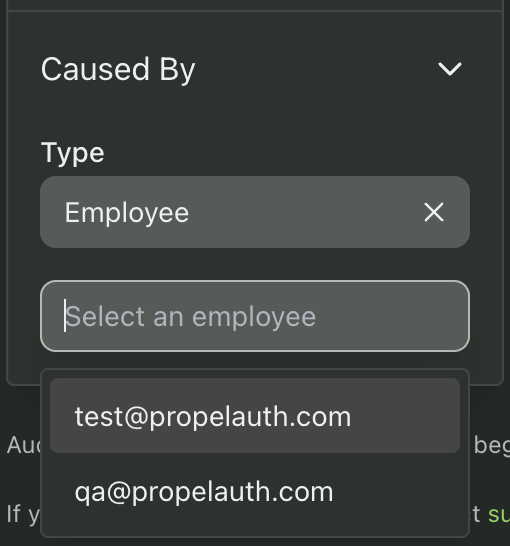
One of my employees updated a couple of accounts, how do I see which accounts they modified?
Use the Caused By filter and select the employee in question.
Organization Audit Logs
The PropelAuth Organization Audit Logs make it easy to track changes to your organizations. This is useful for checking things like who created an organization, modified it’s settings or membership, or enabled SAML/SCIM.
The Organization Audit Log can be filtered in a variety of ways:
- By Organization - Filter down to all actions related to users in a specific Organization
- Event Type - Choose which events are displayed
- Date - Choose the dates to display events from
- Caused By - Filter by what caused the event, such as if the user performed the action themselves or an employee took an action on their behalf.
Some examples of how to get to the bottom of questions in the Organization Audit Log are:
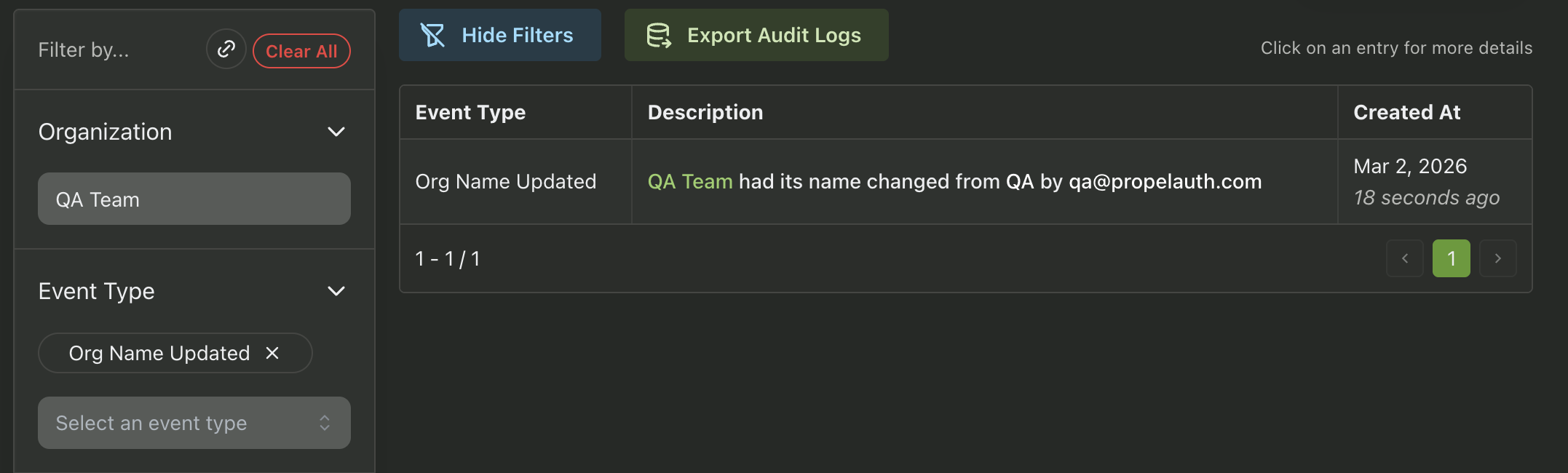
Who changed the name of that organization from QA to QA Team?
Use the Organization filter and select QA Team, and the Org Name Updated event.
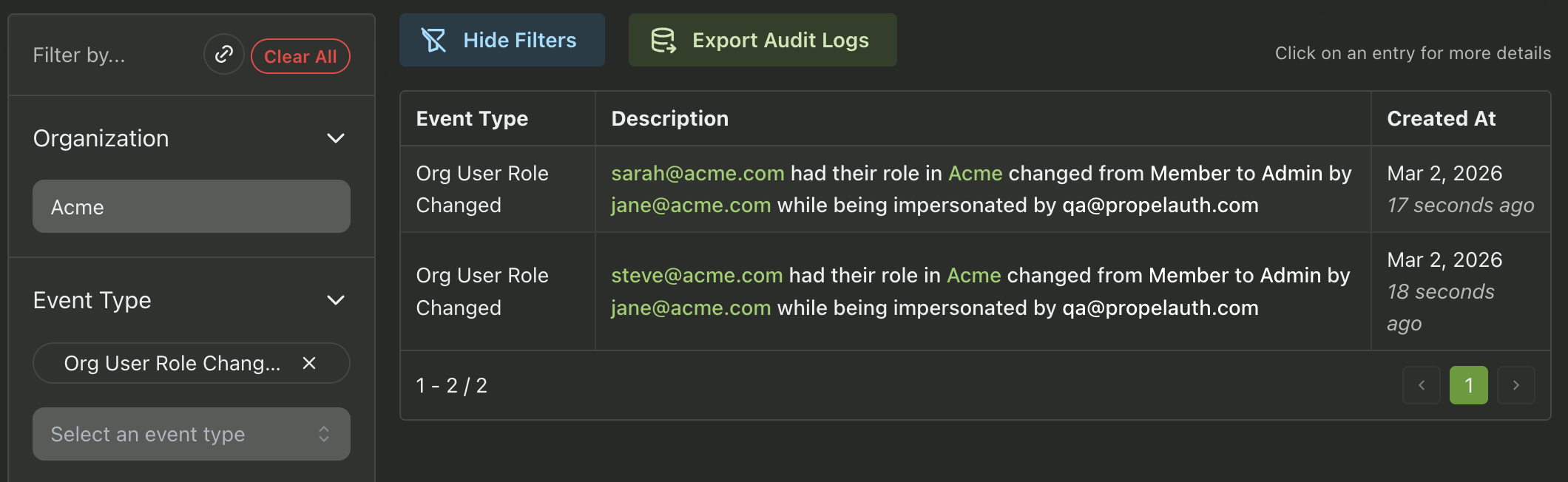
Some of or user’s roles got changed in the Acme organization, but no one from the Acme organization remembers doing it.
Use the Organization filter and select Acme. Then choose the Org User Role Changed event. The event will show who was responsible - in this case, it was done by qa@propelauth.com while impersonating jane@acme.com, which would explain why no one from the Acme organization remembers making the change.
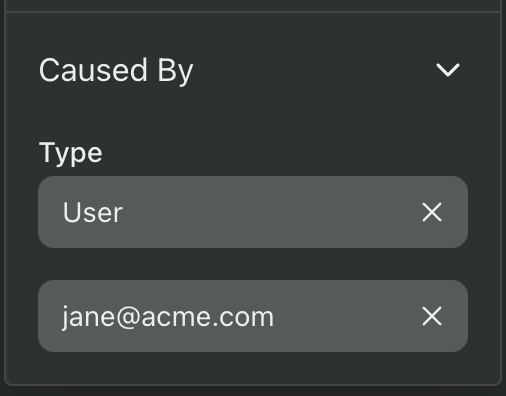
jane@acme.com recently left Acme, and we want to audit what she did before leaving.
Use the Caused By → User filter and enter jane@acme.com to see a history of her actions before leaving the organization.
Advanced Audit Logs
Users on the PropelAuth Growth+ plan have access to two additional audit log options: the Impersonation Audit Log and the User Facing Audit Log.
Impersonation Audit Log
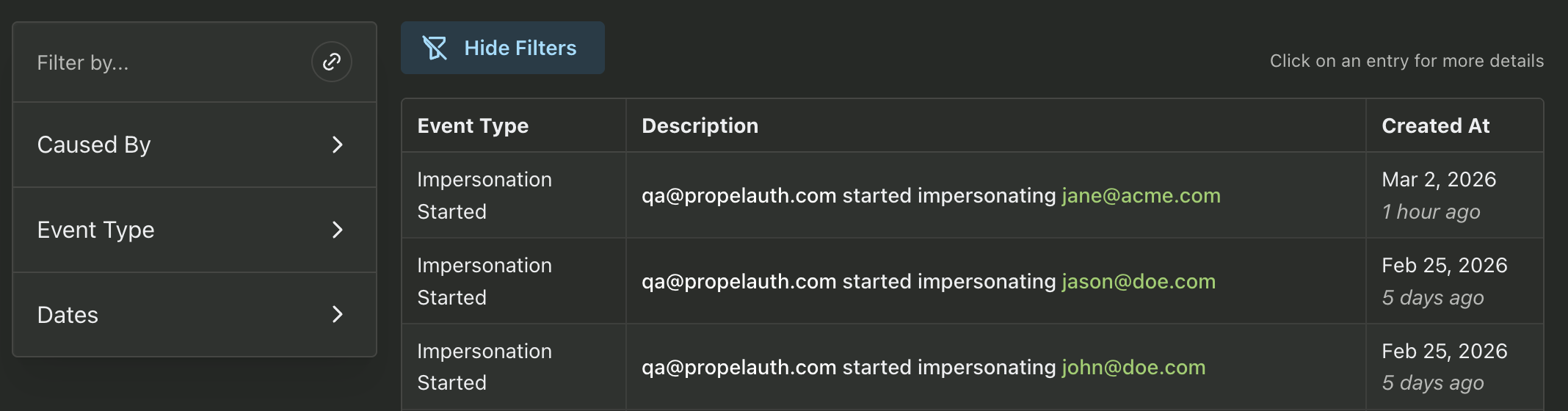
While you can see impersonation related events in the User and Organization audit logs, it can be helpful to get a look into the impersonation activity for a specific employee. The PropelAuth impersonation audit log makes it easy to see, at a glance, which of your employees is impersonating and when.
User Facing Audit Log
If you would like to make Organization Audit Log events visible to your end users, you can turn on the User Facing Audit Log (via the Organization Settings page).
You can configure this audit log to display a variety of event types, including those taken by your users, those taken by your employees and those taken while impersonation. You can also choose to make this audit log visible to all of your organizations, or just select organizations.
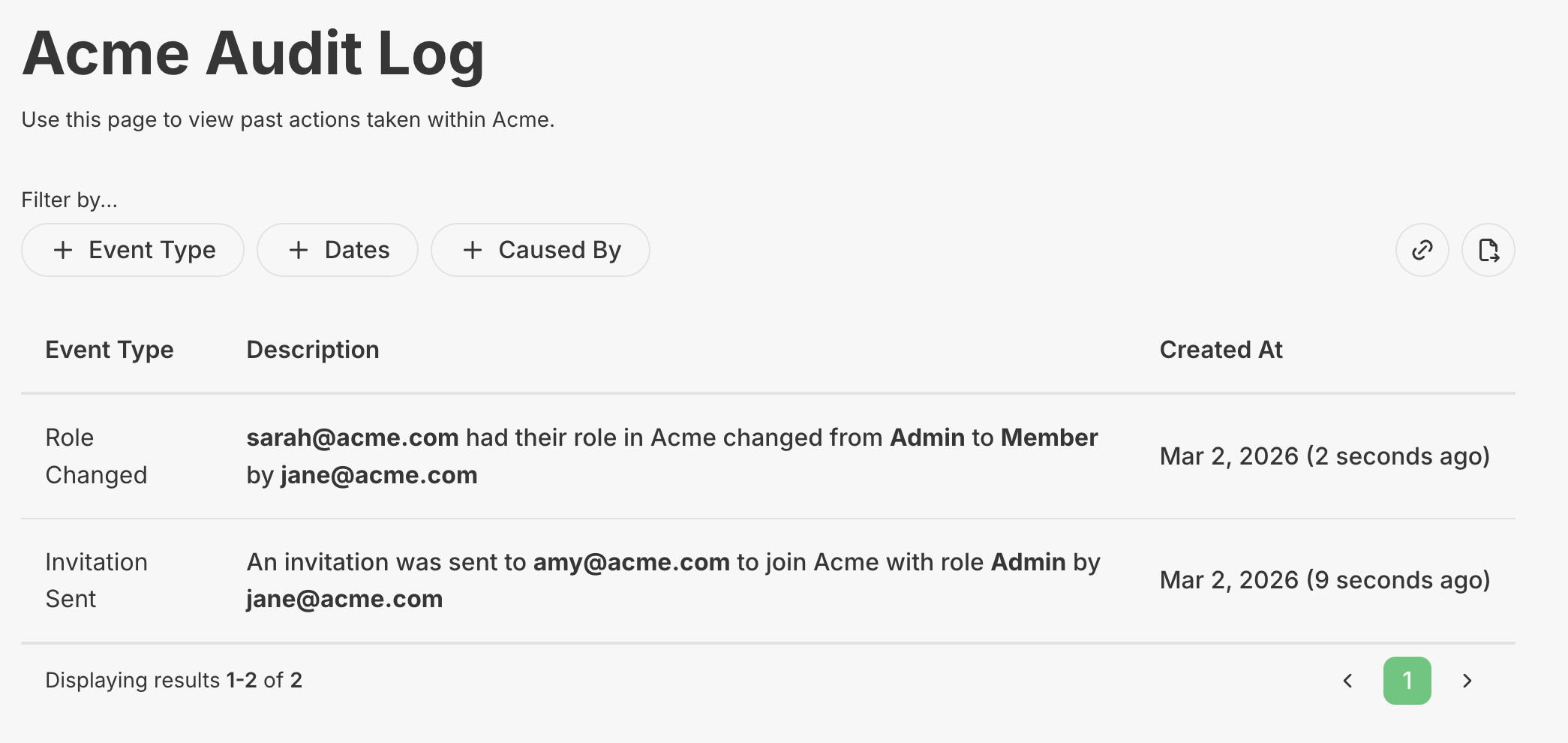
This audit log can be filtered by Event Type, Dates, and Caused By. Your users can also choose to export the data to a .csv or .json file.
Audit Log Exports
PropelAuth User and Organization Audit Logs can be exported to either Datadog or Amazon S3. For more information on these exports check out the following docs pages:
Summary
PropelAuth makes it easy to audit everything going on in your PropelAuth project. The next time you get a question from a team member wondering what’s going on, head on over to the right audit log and start filtering.
From user activity to org-level changes to project config, PropelAuth's audit logs keep a detailed record of the moments that matter.